
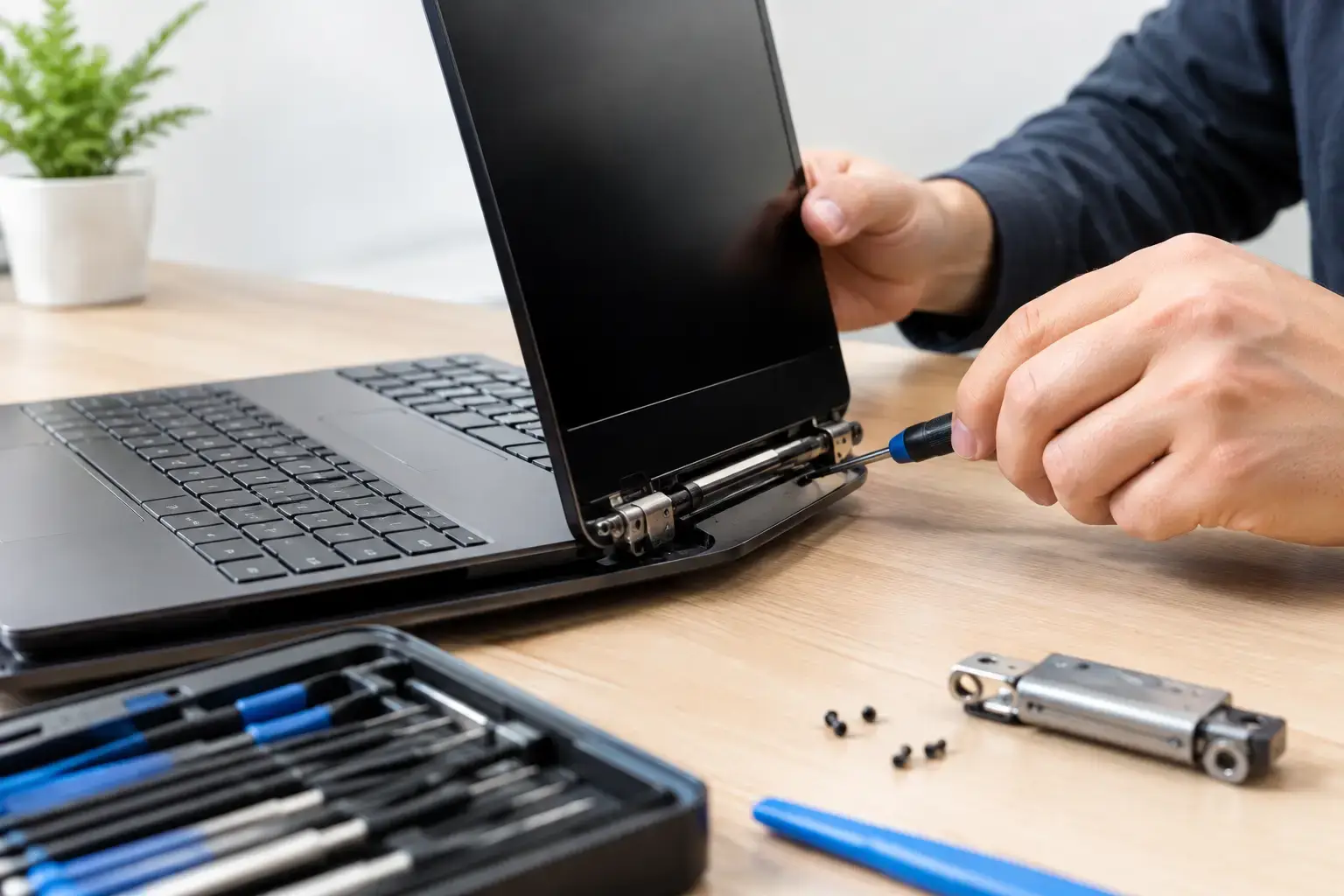
A laptop hinge should open smoothly and hold the display at a useful angle. When it starts clicking, feels unusually tight, separates from the case, or makes the screen lean to one side, stop forcing it. This guide to laptop hinge repair explains what is likely happening, what you can do right away, and when professional help can save the screen, cables, and the rest of the laptop.
A broken hinge is more than a cosmetic problem. Every time the lid moves, the hinge area is also carrying display cables, webcam wiring, Wi-Fi antenna leads, and sometimes the charging-port assembly. Continuing to open and close a damaged laptop can turn a contained repair into a much larger one.
What a damaged laptop hinge looks like
Hinge damage does not always begin with a completely detached screen. Often, there are early warning signs: a popping or cracking sound near one corner of the lid, a gap forming between the screen bezel and rear cover, resistance when opening the laptop, or a bottom case that flexes near the hinge.
You may also notice that the display no longer stays where you set it. A loose hinge can let the screen fall backward, while an overly tight hinge can pull mounting points out of the plastic chassis. On many laptops, the metal hinge itself is still intact. The real failure is the small screw mounts or brass inserts that anchor it to the lid or lower case.
If your screen flickers, goes black when moved, loses camera function, or shows colored lines after hinge trouble starts, treat that as urgent. A stretched or pinched display cable may already be involved.
Why laptop hinges break
Laptop hinges are designed for thousands of open-and-close cycles, but they rely on thin mounting points inside a compact case. Normal wear can loosen those mounts over time. Drops, pressure from an overstuffed bag, opening the lid from one corner, and lifting the laptop by its screen can speed up the damage.
Heat can also play a role. Older plastic housings can become brittle after years of use, especially around a hinge that already runs tight. On certain models, the hinge mechanism becomes stiff while the plastic anchors remain comparatively weak. Something has to give, and it is often the case rather than the hinge.
The exact repair depends on where the failure occurred. A loose screw may be a quick fix. Cracked lid mounts, separated palm-rest sections, broken hinges, or damaged display cables require more disassembly and usually replacement parts.
What to do before the damage gets worse
First, save your work and power the laptop down. Do not keep testing the hinge by opening and closing it. If the lid can close without resistance, close it gently from the center and leave it closed until it can be inspected. If closing it puts pressure on the display or pulls the bezel apart, leave it open on a stable surface instead.
Avoid tape, glue, or tightening random exterior screws as a permanent fix. Tape can hold a cracked panel temporarily, but it does not correct a seized hinge or restore broken mounting points. Household glue can seep into the hinge path, cables, or ventilation openings. It may also make a proper repair harder later.
Back up important files if the laptop still works. Hinge repairs generally do not affect stored data, but a backup is smart whenever a device needs to be opened. If you see a swollen battery, a lifted keyboard or trackpad, or a case that is bulging, stop using the laptop and have it checked promptly. Battery swelling is a separate safety concern and should not be pressed back into place.
How a laptop hinge repair is diagnosed
A proper inspection starts with more than looking at the outside. A technician checks how the lid moves, whether both hinge assemblies are aligned, and whether the screen housing or bottom case is separating. The laptop is then opened carefully to inspect the hinge brackets, screw posts, display cable routing, antenna wires, and nearby internal components.
This matters because two laptops can show the same symptom but need very different repairs. A stiff left hinge might have broken the rear display cover. A loose right hinge might have pulled free from the palm-rest assembly. If the cable has been stressed, replacing only the plastic cover may leave you with an intermittent screen problem later.
At Mr. Mobile, a free diagnostic evaluation helps identify the full issue before work begins, so you can make a clear repair decision instead of guessing based on the visible crack.
Common parts involved in hinge repairs
The hinge is often only one piece of the repair. Depending on the laptop model and damage, the repair may include a new hinge pair, rear display cover, front bezel, palm-rest or keyboard assembly, bottom case, display cable, or screen panel.
Replacing hinges as a pair is common when one has become overly tight or worn. The two sides are designed to work together, and installing a new hinge next to a failing one can leave uneven resistance on the lid. Still, it depends on the model and the condition of the other hinge. A good diagnosis should explain which parts are necessary and which are still serviceable.
Can you repair a laptop hinge yourself?
A careful DIY repair can make sense if you have experience opening laptops, the correct replacement parts, precision tools, and a device with easily available service information. Replacing a loose hinge screw or an accessible rear cover is less risky than rebuilding broken mounting posts deep inside the chassis.
The trade-off is that modern laptops are tightly packed. Small screws are not interchangeable, clips can crack, and display cables are easy to damage if they are pulled at the wrong angle. Some models require removing the battery, motherboard, cooling assembly, or screen panel just to reach the hinge hardware. Adhesive-backed displays add another layer of risk.
Do not try to loosen a hinge with oil, lubricant spray, or household cleaners. Liquids can migrate into the display and electronics, while an improperly adjusted hinge can become too loose to hold the screen securely. If the case is already cracked, reducing hinge tension without rebuilding the mount may not solve the underlying problem.
When professional repair is the better value
Professional hinge repair is usually the safer choice when the screen housing is separating, the lid is difficult to move, the display image changes when adjusted, or the laptop has suffered a drop. It is also worth considering for business laptops, school devices, and newer models where preserving the original screen and data matters.
The cost depends on the laptop model, parts availability, and how far the damage has spread. A repair limited to a hinge or cover is generally less expensive than a full screen replacement. But if a broken mount has damaged the display cable or panel, the price can rise. That is why a diagnosis before repair is valuable: it separates a straightforward mechanical issue from a repair involving several components.
For an older laptop with a failing battery, slow performance, or extensive case damage, compare the repair estimate with the device’s remaining value. Repair is often still the practical choice when the laptop otherwise meets your needs, especially if it avoids the cost and setup time of replacing a device. If several major components need work, a refurbished replacement may make more sense.
How to prevent future hinge damage
Open the laptop from the center of the lid rather than one corner. This distributes pressure across both hinges instead of twisting the screen housing. Carry the laptop in a padded compartment, avoid stacking heavy items on it, and never use the closed laptop as a surface for books or bags.
Keep debris out of the hinge area and pay attention to changes in resistance. A hinge that suddenly feels tighter is a repair warning, not something to muscle through. Addressing it early can prevent the screen from separating and may reduce the number of parts required.
When your laptop stops opening normally, the safest move is simple: stop forcing the lid and get a clear assessment while the damage is still limited. A timely repair can protect the display you rely on for work, school, and everything in between.