
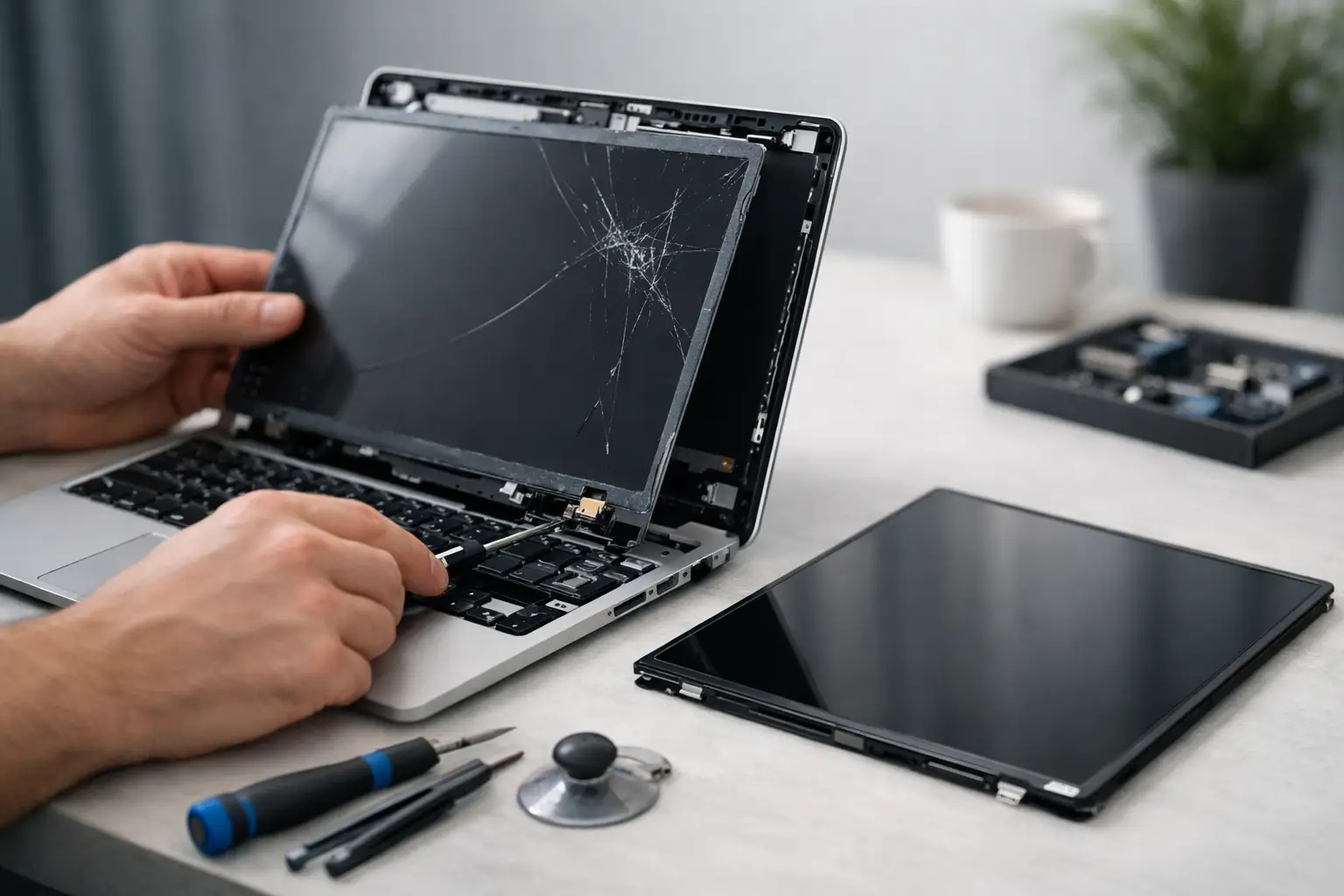
A cracked laptop display can turn a perfectly good computer into something you can barely use. The laptop screen replacement cost is often far less than buying a new machine, but the final price depends on more than the size of the crack. Your laptop model, display technology, touch capability, and the condition of the hinges and frame all matter.
The good news is that a damaged screen does not automatically mean your laptop is finished. A technician can identify whether the panel alone needs replacement or whether another part is causing the issue, then give you a clear repair path before work begins.
What Does Laptop Screen Replacement Cost?
For many common Windows laptops, a screen replacement typically falls between $150 and $350 when parts and professional labor are included. Basic non-touch displays for older or entry-level laptops may cost less. Premium laptops, touchscreen models, high-resolution displays, and Apple MacBooks can cost considerably more.
A realistic price range often looks like this:
- Basic 11- to 15-inch non-touch laptop screens: roughly $100 to $250
- Standard full HD screens on mainstream laptops: roughly $150 to $350
- Touchscreen, 2-in-1, OLED, or high-resolution displays: roughly $250 to $600 or more
- MacBook display assemblies and premium ultrabook screens: often $350 to $800 or more
These are general ranges, not a quote. Two laptops that look nearly identical can use different connectors, panel resolutions, bezel assemblies, or touch layers. That is why identifying the exact model before ordering a part is so important.
Why Screen Repair Prices Vary So Much
The display is not always just a thin panel behind the glass. On some laptops, the LCD or LED panel can be replaced by itself. On others, especially thin premium models, the screen is part of a complete upper assembly that includes the lid, camera, antennas, bezel, and cables. Replacing that assembly costs more, but it can also restore the laptop with a cleaner, more reliable result.
Screen size and resolution
A standard 1366 x 768 or 1920 x 1080 display is generally more affordable and easier to source than a 4K, OLED, mini-LED, or high-refresh-rate panel. Larger screens can also cost more, although resolution and technology usually have a bigger effect on price than size alone.
If you use your computer primarily for email, schoolwork, web browsing, and documents, a quality standard display may be the practical choice. Creative professionals, gamers, and users who depend on accurate color or sharp detail may need a panel that matches the original specifications. Choosing a cheaper incompatible screen can mean losing touch functionality, brightness, color quality, or refresh rate.
Touchscreen and 2-in-1 designs
Touchscreen laptops have another layer to consider. The glass digitizer, display panel, and front assembly may be separate parts, or they may be bonded together. A crack in the outer glass can still require replacement of the entire display assembly.
Convertible laptops add another consideration: hinges and display cables. If the device was dropped, the screen may be damaged along with the hinge mount or cable routing. Replacing only the visible cracked panel without checking those components can lead to another failure later.
Brand and model availability
Parts for popular models from Dell, HP, Lenovo, Acer, ASUS, and many other manufacturers are often readily available. Less common models, newly released devices, and premium ultrathin laptops may require special-order parts. Availability can affect both price and turnaround time.
MacBook repairs can be more expensive because many models use specialized Retina displays and tightly integrated assemblies. Still, repair can make financial sense when the rest of the computer is in good condition and meets your needs.
More than a broken screen
A black display is not always a broken screen. It may be a loose or damaged display cable, a failed backlight, a graphics issue, liquid damage, or a motherboard problem. Vertical lines, flickering, dim images, and intermittent display problems can have several causes.
That is where a proper diagnosis pays off. You do not want to purchase a screen replacement only to find that the real issue was inside the computer. Mr. Mobile offers free diagnostic evaluation so you can understand what is wrong before deciding on a repair.
Signs You Probably Need a Screen Replacement
Visible cracks, ink-like black spots, colorful lines, dead areas, or a display that is clearly bleeding from a damaged corner usually point to a failed panel. If the image appears normally on an external monitor but not on the laptop screen, that also makes the internal display or its cable a likely suspect.
A completely black screen is less certain. Check that the laptop is charging, listen for startup sounds, and try connecting an external display if you have one available. Avoid pressing hard on the panel or repeatedly opening and closing damaged hinges. Pressure can spread the damage, and a broken hinge can tear the display cable.
If there is any sign of battery swelling, stop using the laptop and have it checked promptly. A swollen battery can push against the keyboard or trackpad and create safety concerns that go beyond the screen.
Is It Worth Replacing a Laptop Screen?
The answer comes down to the repair cost compared with the computer’s age, performance, and replacement value. If a three-year-old laptop handles your work, school, or home use well, a $200 to $350 repair can be a smart way to get more life from it. You keep your files, applications, setup, and familiarity with the device without spending hundreds more on a replacement.
Repair may be less attractive when a laptop is already slow, has a failing battery, limited storage, major liquid damage, or needs several expensive repairs at once. In that situation, putting the money toward a newer refurbished or replacement computer may be the better value.
Do not judge the decision by the crack alone. Consider what a replacement computer with similar performance would cost, how much time it would take to move your files and settings, and whether the current laptop still does what you need. A repair estimate gives you real numbers to compare instead of guessing.
Professional Repair vs. DIY Screen Replacement
DIY screen replacement videos can make the job look simple, and on certain older laptops it can be. But screens are fragile, model-specific, and easy to damage during installation. A panel with the wrong connector, resolution, mounting tabs, or refresh rate may not work correctly even if it physically fits.
There is also the risk of damaging the display cable, webcam wiring, bezel clips, hinges, or motherboard connector. Touchscreen and MacBook repairs are especially easy to complicate. If a low-cost part arrives damaged or fails early, the original savings can disappear quickly.
Professional repair adds labor to the cost, but it also brings correct part matching, careful disassembly, testing, and accountability for the work performed. For a computer you rely on for class, work, family photos, or daily communication, that peace of mind is often worth it.
How to Get an Accurate Repair Quote
The fastest way to get a useful estimate is to provide the laptop’s exact model number, not just its brand. The model is often printed on the bottom case, listed in system settings, or shown on the original box. Let the technician know whether the screen is touch-enabled and describe what you see: cracks, lines, black spots, flickering, no image, or hinge damage.
Photos of the damage can help, but an in-person inspection is still valuable. A technician can check the hinges, cable, frame, and overall condition of the computer. If the panel needs to be ordered, you will know that before work starts rather than being surprised after the repair is underway.
Back up your data if the laptop is still usable. Screen replacement normally does not affect files, but every repair decision is easier when your important documents, photos, and school or work projects are protected.
A damaged screen is frustrating, especially when your laptop is part of your daily routine. Start with a diagnosis and an exact quote. Once you know what failed and what the repair will cost, you can choose the option that gets you back to a working computer without paying for more than you need.