
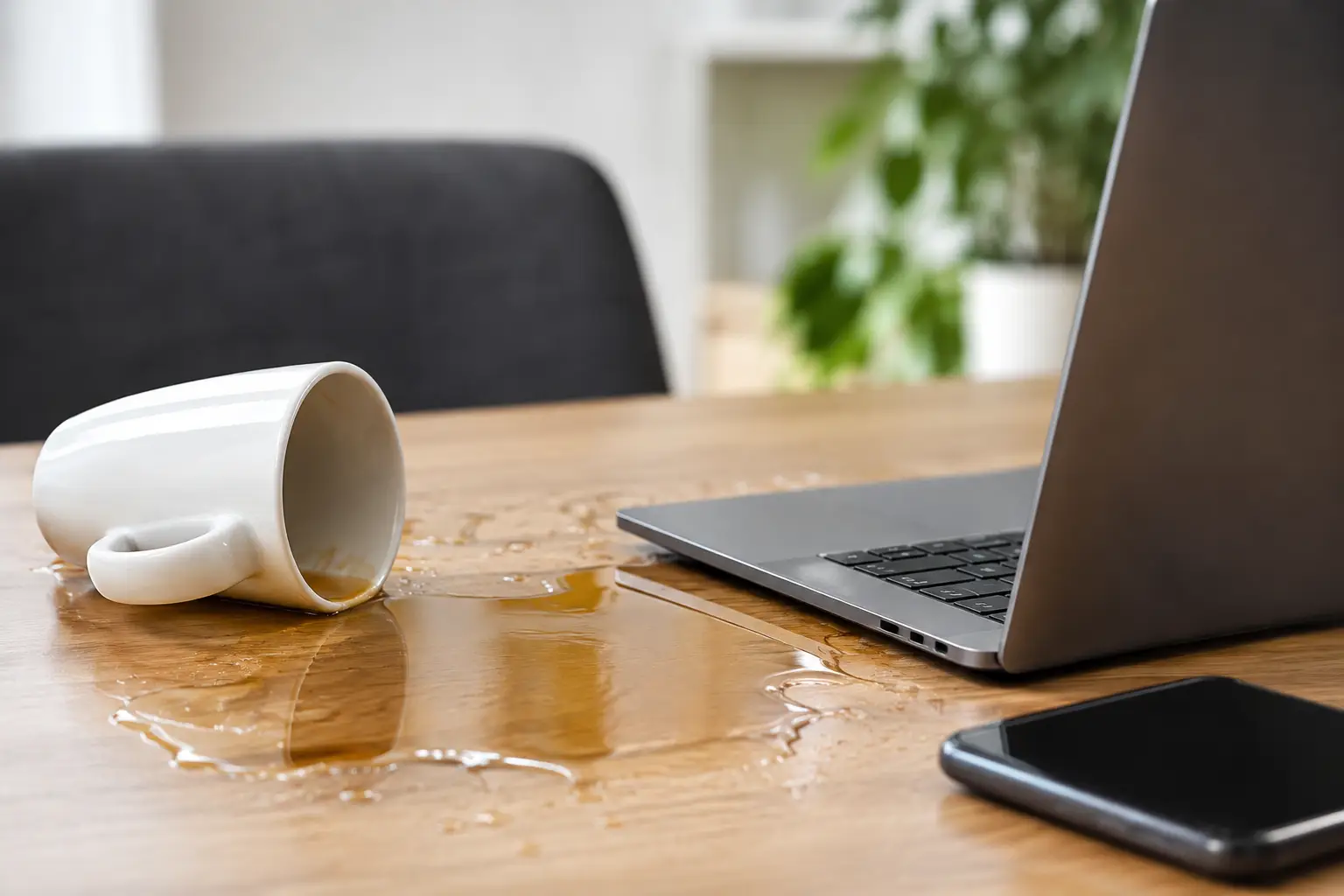
A spilled coffee at work, a phone dropped in the sink, or a game controller left near an open window can create liquid damage in seconds. The device may look fine at first, which is exactly why people keep using it. Hours or days later, corrosion can spread across internal components and turn a small accident into a device that will not charge, power on, or hold a connection.
The good news is that fast action can make a real difference. Whether it is an iPhone, Samsung Galaxy, iPad, laptop, Apple Watch, tablet, or game console, the goal is simple: stop electricity from moving through a wet device, remove surface moisture, and get an accurate diagnosis before damage has time to spread.
What to Do Right After Liquid Damage
First, turn the device off. If the screen is still on, power it down normally if you can do so without repeatedly pressing buttons. Do not test apps, play audio, plug in a charger, or keep checking whether it still works. Electricity and moisture are a bad combination, and a device that is operating today can fail tomorrow after a short develops.
Remove any case, cable, accessory, SIM card, or detachable battery if the device allows it. Gently blot visible water with a clean, lint-free cloth. Keep ports facing downward where possible so liquid can drain out rather than travel farther inside.
For laptops, disconnect the charger immediately and shut the computer down. If it is safe to do so, open the lid and place it in an upside-down V position on a towel. This can help keep liquid from pooling around the keyboard and internal board. Do not shake it aggressively. That can move moisture into areas that were not exposed at first.
If the device was exposed to soda, coffee, juice, saltwater, pool water, or another sticky or corrosive liquid, professional cleaning becomes even more time-sensitive. Plain water can cause corrosion. Sugary drinks and saltwater leave behind residue that can continue damaging connections after the visible moisture is gone.
What Not to Do With a Wet Device
Some common fixes sound reasonable but often make the situation worse. The biggest mistake is charging the device to see if it is okay. A charging port can hold moisture even when the outside looks dry, and connecting power may damage the port, battery, charging circuit, or motherboard.
Do not use a hair dryer, oven, microwave, or direct heat. High heat can warp plastic, weaken adhesives, damage displays, and push moisture deeper into the device. Compressed air is not a reliable solution either. It may force liquid farther into ports and under components.
Rice is another popular suggestion, but it is not a repair method. Rice does not remove residue or corrosion from inside the device. It can also leave dust and starch particles in ports. Air drying may help with surface moisture, but it does not replace proper internal inspection and cleaning when the device has been exposed to liquid.
Why Liquid Damage Can Show Up Later
A phone or tablet can seem completely normal after a spill, then develop problems days later. That delay is frustrating, but it has a straightforward cause: corrosion.
When moisture reaches internal connectors or circuit board components, it can begin reacting with metals. As corrosion builds, electrical signals may become unreliable. You may notice a screen that flickers, cameras that stop focusing, a battery that drains quickly, speakers that sound muffled, buttons that quit responding, or a device that repeatedly restarts.
Liquid can also affect only one area at first. For example, a phone may charge but lose Face ID, have a weak microphone, or show a warning about moisture in the charging port. A laptop may boot but have keys that type the wrong characters. A game console may turn on but fail to read discs or connect controllers. These are reasons to have the device checked, even if it is still usable.
Warning Signs You Should Not Ignore
If your device gets hot, has a swollen battery, emits an unusual odor, will not power on, or repeatedly disconnects from charging, stop using it. A damaged lithium-ion battery should be handled carefully. Do not attempt to open the device or puncture a swollen battery at home.
You should also act quickly if the device contains photos, schoolwork, business files, or other data you cannot afford to lose. Continued use can reduce the chances of a successful recovery if internal damage worsens.
How Professional Liquid Damage Repair Works
A proper liquid damage repair starts with a diagnosis, not a guess. A technician checks for moisture indicators, corrosion, failed components, battery condition, charging issues, and board-level damage. The exact repair depends on the device and where the liquid traveled.
In some cases, a detailed internal cleaning and replacement of a damaged charging port, battery, screen, speaker, or camera may restore normal operation. In more serious cases, liquid may have damaged critical board components. That does not always mean the device is beyond saving, but the repair can be more involved and the outcome depends on the extent of corrosion.
This is why quick service matters. The longer residue sits inside a device, the more opportunity it has to affect connectors and components. Mr. Mobile offers free diagnostic evaluation so you can understand what is wrong before deciding whether repair makes sense for your device and budget.
For many common device issues, same-day service may be possible. Liquid exposure is different because every spill has its own path and severity. A quick inspection can reveal whether a straightforward component repair is likely or whether the device needs more extensive work.
Should You Repair or Replace a Water-Damaged Device?
Repair is often the better value when the device is newer, the damage is limited, and the cost is far less than replacement. It can also be the right choice when you need your current phone, tablet, computer, or console back quickly and want to preserve your data, apps, settings, and accessories.
Replacement may make more sense if the device is older, has multiple existing problems, or has major board and battery damage. The decision should be based on a clear diagnosis, repair cost, device age, and the value of the information stored on it. There is no one-size-fits-all answer.
If replacement is the practical route, a certified pre-owned unlocked device can be a lower-cost alternative to buying new. You can move forward without being locked into a carrier upgrade or paying full retail price for a phone you did not plan to buy.
Protect Your Device After a Spill
Once a device has been repaired or replaced, a few habits can reduce the risk of another accident. Keep drinks away from charging areas and workstations, use a case with some edge protection, and avoid charging electronics near sinks, tubs, or pools. For parents, it also helps to set a regular charging spot away from kitchen counters and bedside drinks.
Water-resistant devices offer useful protection, but they are not waterproof forever. Seals can weaken from drops, age, heat, and previous repairs. A water-resistance rating is not a reason to test a phone underwater or assume it will survive every spill.
The best move after liquid exposure is not waiting to see what happens. Power the device off, avoid charging it, and get it looked at while there is still a chance to stop a small spill from becoming a complete device failure.