
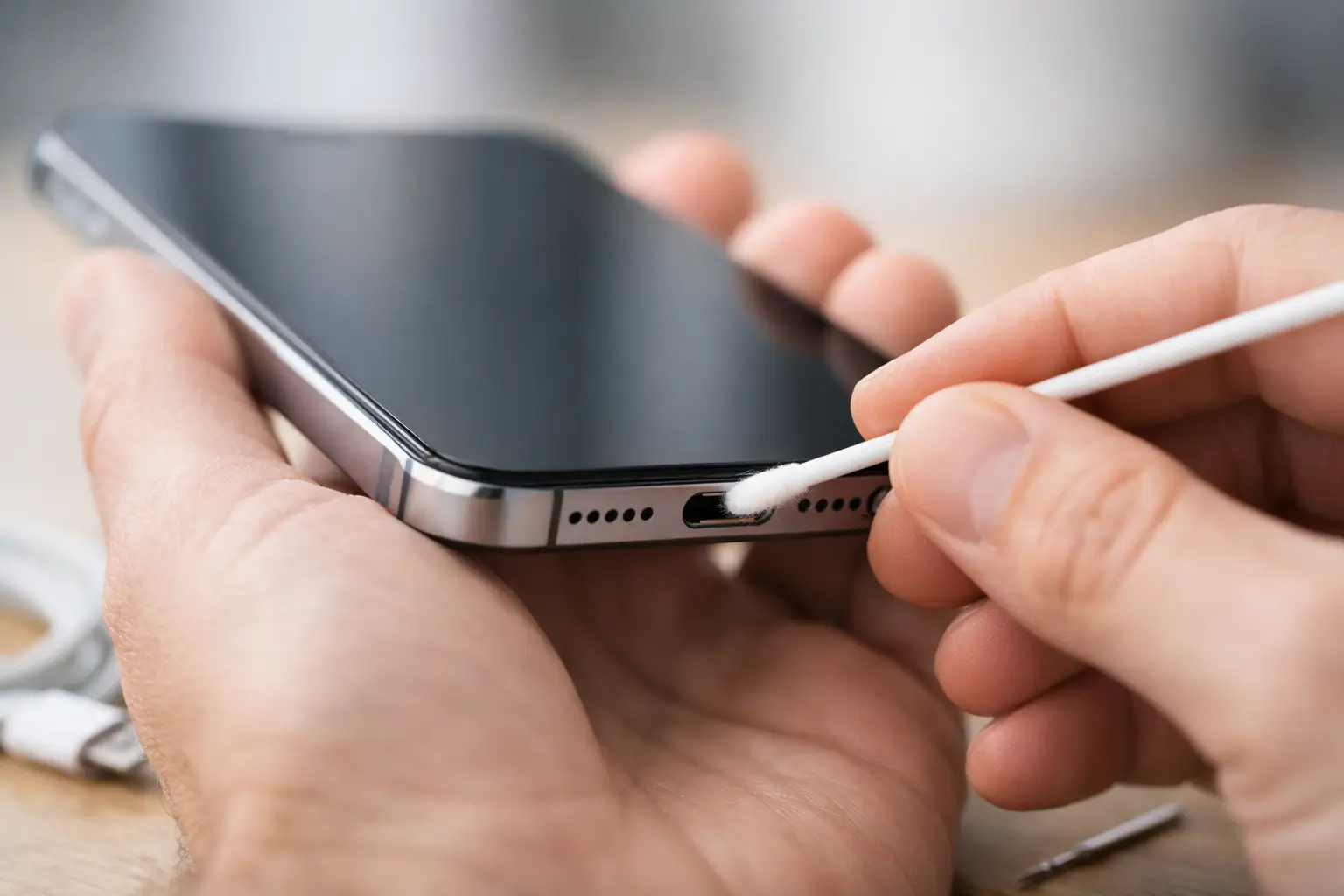
A clean phone charging port is easy to take for granted until your cable will not stay in, charging starts and stops, or your battery barely gains a percentage overnight. Before assuming your phone needs a new battery or charger, check the port. Pocket lint, dust, and small debris are common causes of charging trouble, especially on phones that spend every day in a pocket, purse, backpack, car, or work bag.
The good news is that light debris can often be removed carefully at home. The key word is carefully. Charging ports contain delicate electrical contacts, and an aggressive cleaning attempt can turn a simple blockage into a repair. Here is how to tell the difference, clean the port safely, and know when it is time to let a technician take over.
Signs Your Phone Charging Port Needs Cleaning
A dirty port does not always look dirty from the outside. Lint is often pressed into the bottom of the port by the charging cable, where it forms a dense layer that blocks the plug from seating fully. Your cable may appear connected, but it is not reaching the contacts the way it should.
Common signs include a loose-feeling cable, a charger that only works when held at a certain angle, intermittent charging, or a connector that does not click firmly into place. You may also notice that one cable seems to work better than another. That can happen because different cable tips have slightly different wear patterns, but it can also point to debris inside the port.
First, rule out the easy possibilities. Try a known-good charging cable and wall adapter, then inspect the cable tip for bent metal, fraying, discoloration, or packed-in dirt. If the problem follows one cable, replace the cable. If multiple good cables fit poorly or charge inconsistently, the port deserves a closer look.
How to Clean a Phone Charging Port at Home
Start with the phone powered off. Unplug it from every cable, remove the case if it gets in your way, and work in a well-lit spot. A flashlight is helpful, but do not push anything into the port just to get a better view.
Use a dry, non-metal tool with a fine tip, such as a wooden toothpick or a plastic dental pick. Gently work around the edges and bottom of the port, using very light pressure. The goal is to lift lint out in small pieces, not scrape or dig at the center contacts. Turn the phone so the port faces downward as you work, allowing loose debris to fall out rather than get pushed deeper inside.
For many phones, that is enough. Afterward, use a soft, dry brush around the opening and test the cable. Insert it slowly. A properly seated connector should feel secure, not require force, and should not wobble excessively.
If you use a USB-C phone, be especially gentle. USB-C ports have a small center tongue that can be damaged if a tool is forced against it. iPhone Lightning ports also have contact points along the interior that should not be scraped. A little patience is much cheaper than replacing a charging port.
What Not to Put in the Port
Avoid metal pins, paper clips, needles, tweezers, knives, and SIM-eject tools. Metal can scratch contacts, bend internal components, or create a short if the phone is accidentally powered on. Cotton swabs are not a great choice either, since fibers can break off and add more debris.
Skip water, household cleaners, rubbing alcohol, and aerosol cleaners unless a repair professional specifically directs you to use a product for a particular issue. Liquid may spread contamination farther into the phone, and alcohol can affect nearby adhesives or leave residue if used incorrectly.
Compressed air is also riskier than it looks. A brief, controlled burst may move loose dust, but strong air can compact lint deeper into the port or introduce moisture from the can. If you cannot remove the blockage with a dry plastic or wooden tool and gentle brushing, stop there.
When Cleaning Will Not Fix the Problem
Debris is common, but it is not the only reason a phone will not charge. A damaged port can create very similar symptoms. If your charging cable has to be bent sideways, if the port feels unusually loose after cleaning, or if the phone repeatedly connects and disconnects with several cables, the issue may be worn or damaged contacts.
Moisture exposure is another concern. If the phone was dropped in water, left in a wet vehicle, exposed to heavy humidity, or showed a liquid-detection alert, do not poke around inside the port. Corrosion can develop where you cannot see it and may affect more than the charging connection. Charging a wet or corroded device can cause additional damage.
Heat is a warning sign, too. A phone or connector that gets very hot while charging should be unplugged immediately. The cause might be a failing cable, a damaged adapter, a battery problem, or a charging-port issue. Cleaning alone is not the right fix for overheating.
It also depends on how the phone behaves. If wired charging fails but wireless charging works normally, that points more strongly to the cable, port, or charging connector. If neither wired nor wireless charging works, the problem could involve the battery, power-management components, software, or internal board-level damage. A free diagnosis can save time compared with buying accessories that do not solve the actual problem.
Keep the Charging Port Cleaner Longer
Once the port is working again, a few small habits can prevent the same frustration next month. Keep your phone out of lint-heavy pockets when possible, especially pockets that carry tissues, receipts, or work debris. Clean the inside of a case occasionally, since grit trapped around the bottom opening can migrate into the port.
Do not force a charging cable into place. If it will not insert smoothly, stop and inspect both the cable tip and port. Forcing it can compact lint or bend a connector. Using quality cables also matters. A worn cable may fit loosely, overheat, or make an otherwise healthy charging port seem defective.
If you work outdoors, in a shop, around pets, or in a dusty environment, check the port periodically before a charging problem becomes an emergency. A quick visual inspection takes seconds and can help you catch buildup early.
Get a Clear Answer Before Replacing Your Phone
Charging trouble can interrupt school, work, family plans, navigation, and every other task your phone handles. But a device that will not charge is not automatically a device that needs replacement. Sometimes it needs a careful cleaning. Other times, it needs a new cable, a battery repair, or a charging-port replacement performed by someone with the right tools.
At Mr. Mobile, technicians can inspect the device, identify what is actually causing the problem, and explain the practical repair options before work begins. Many common repairs can be completed the same day, helping you get back to a working phone without the cost and disruption of replacing it.
If your cable still will not fit securely after a gentle cleaning, do not keep forcing it. Set the phone aside, protect the port from more debris, and get it checked before a small charging issue becomes a bigger repair.