A console that shuts off during a ranked match, refuses to read a game, or shows a black screen can turn a quick night of gaming into a real headache. Gaming console diagnostics are the fastest way to find out whether the problem is a simple cable, a failing part, a software issue, or something that needs repair. The goal is not to guess. It is to identify the cause before you spend money on the wrong fix or replace a console that may still have plenty of life left.
For gamers and families around St. Charles and the greater St. Louis area, a working console is not just another device. It is movie night, online time with friends, a child’s favorite game, and the system everyone uses when the house finally slows down. When it stops working, you need clear answers and a practical path back to playing.
What Gaming Console Diagnostics Actually Check
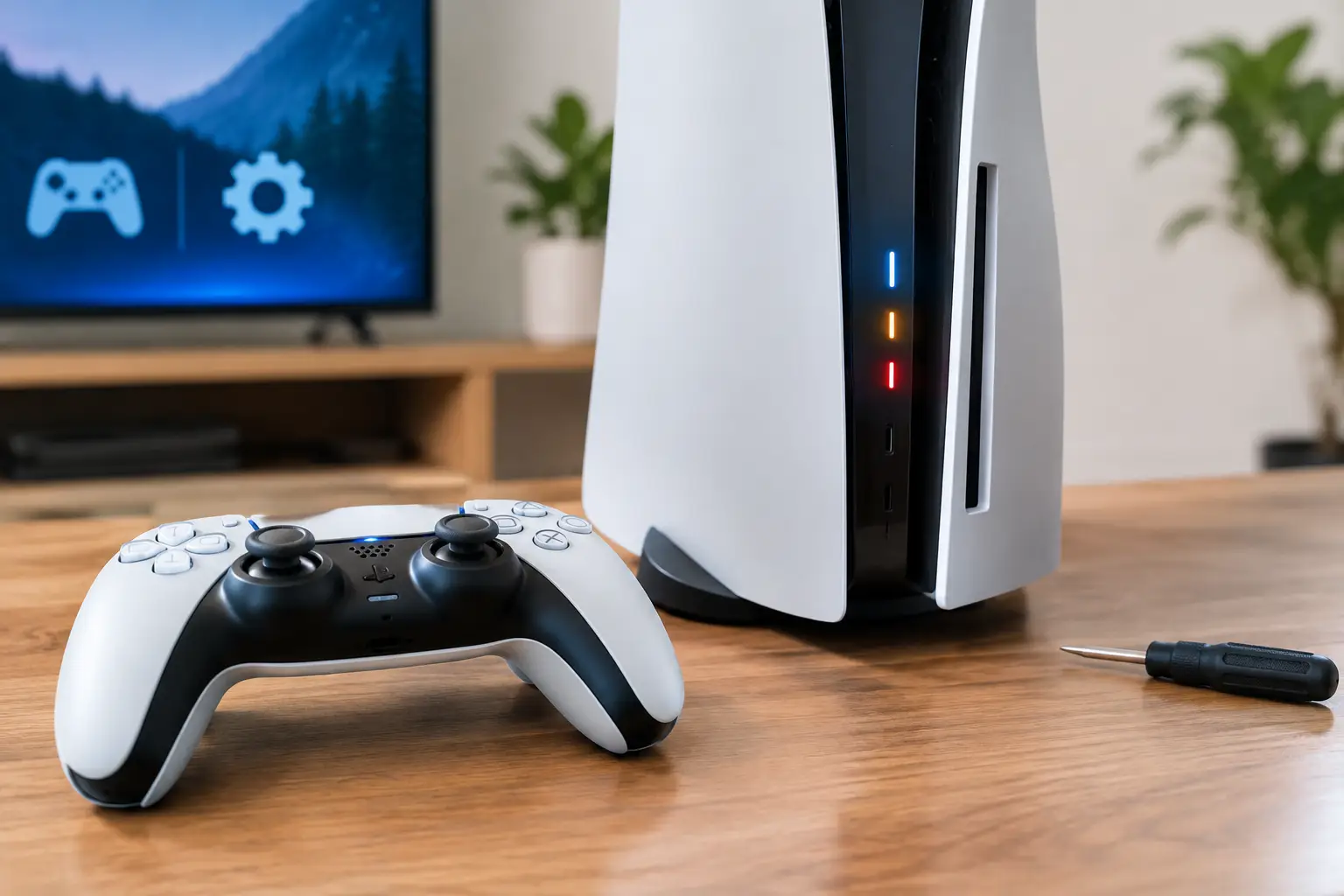
A proper diagnostic evaluation looks beyond the symptom you can see. A PlayStation, Xbox, or Nintendo Switch may appear dead because it will not power on, but the root cause could be the power supply, charging port, battery, HDMI connection, internal board, or even a system crash. Those issues can look similar from the outside, yet they require very different repairs.
A technician starts by confirming the basics: Does the system receive power? Does it boot? Does it show a picture? Does it respond to controllers, discs, cartridges, charging cables, Wi-Fi, and external storage? From there, testing narrows the issue down without replacing parts at random.
This matters because a $15 HDMI cable problem should not become a costly repair, and a failing internal component should not be dismissed as a bad cable. Accurate testing protects your budget and helps preserve the console, your saved data, and the accessories that go with it.
Power and charging problems
No-power issues are among the most common reasons consoles come in for service. Sometimes the answer is simple: a loose outlet connection, damaged power cord, faulty charging cable, or dead controller battery. Other times, the console may briefly light up, beep, then shut down because an internal power component is failing.
Portable systems add another layer. A Nintendo Switch that will not charge may have a worn charging port, battery problem, dock issue, or charger that is no longer delivering enough power. Testing each part of that chain is far more useful than ordering a replacement battery and hoping it solves the problem.
Black screens, flickering, and no HDMI signal
A console can be fully powered on while the TV says “No Signal.” Before assuming the HDMI port is broken, diagnostics should rule out the TV input, HDMI cable, display settings, and dock or receiver connection. If those check out, the console’s HDMI port or video circuitry may need attention.
A loose port, bent internal pins, or a port that only works when the cable is held at a certain angle are strong signs that the connection itself may be damaged. Continuing to force the cable can make that damage worse. A quick evaluation can tell you whether the issue is outside the console or inside it.
Signs Your Console Needs a Diagnostic Check
Some problems are obvious, like a cracked Switch screen or a console that will not start. Others build slowly. Catching them early can prevent a small issue from becoming a bigger repair.
Watch for repeated overheating messages, loud fan noise that never settles down, random shutdowns, freezing on startup, missing storage space, games that fail to install, or controllers that will not sync. A console that works for 20 minutes and then turns off is not “fine.” It is giving you useful information about heat, power, or hardware stability.
Disc-drive problems deserve attention, too. If a PlayStation or Xbox stops recognizing discs, makes grinding noises, repeatedly ejects a game, or reads some discs but not others, do not keep inserting and removing games over and over. The issue may be the disc, but it can also be a worn laser, mechanical problem, or internal connection that needs inspection.
Water exposure, drops, and power surges are also reasons to get the system checked, even if it powers on afterward. Damage does not always show up immediately. Corrosion or a weakened port can create intermittent problems days or weeks later.
Why Guessing Can Cost More
Online troubleshooting can be helpful for simple fixes, especially when it involves checking cables, restarting the system, updating software, or freeing up storage. But there is a line between basic troubleshooting and taking a console apart without knowing what you are looking for.
Modern consoles are compact, tightly assembled devices. Their cooling systems, ports, storage components, ribbon cables, and circuit boards can be damaged by the wrong tool, a missing screw, static electricity, or an incorrect replacement part. Opening a system may also complicate a repair if connectors are torn or screws are mixed up.
The same goes for repeated hard resets and factory resets. A reset can resolve a software problem, but it can also erase settings and saved data if you have not backed up your account or files. If the console cannot stay powered on long enough to complete an update, the problem may not be software at all.
A diagnostic first approach gives you options. If the fix is minor, you avoid unnecessary repair work. If a part has failed, you can decide whether repairing it makes financial sense based on the console’s age, condition, and replacement cost.
The Difference Between Software and Hardware Issues
Not every malfunction means a broken component. A corrupted update, account sync issue, full storage drive, network error, or game-specific bug can make a console seem unreliable. When the problem happens only with one game or after a recent update, software is a reasonable possibility.
Hardware concerns are more likely when the issue follows the console across multiple games, displays, cables, or controllers. A system that overheats in every game, loses video on more than one TV, or cannot read any disc needs more than a settings adjustment.
This is where professional testing saves time. The technician can compare how the console behaves under different conditions, inspect physical connections, and determine whether the problem is isolated or recurring. You get an explanation in plain language instead of a vague recommendation to “try replacing it.”
What to Bring With Your Console
Bringing the console itself is the starting point, but the right accessories can make a diagnosis faster and more accurate. If the problem involves charging, bring the charger and dock. If it involves no video, bring the HDMI cable if possible. For controller or syncing concerns, bring the affected controller.
It also helps to describe what happened just before the issue started. Did the console fall? Did it lose power during an update? Does it fail only after it warms up? Does a certain error message appear? Those details can shorten the testing process and point a technician toward the likely cause.
If your system still turns on, back up saved games and remove personal payment details when you can. If it will not power on, do not panic. Many account and game saves are connected to your profile or cloud backup, depending on your settings. A technician can focus on getting the device stable again while you take the next steps for your data.
A Faster Path Back to Playing
The best repair decision depends on the diagnosis. A worn port, failed fan, charging issue, or damaged HDMI connection may be well worth repairing, especially when the rest of the system is in good condition. A very old console with several failing components may be a different conversation. Either way, you deserve a clear estimate before moving forward.
Mr. Mobile offers free diagnostic evaluation so you can understand what is wrong before committing to a repair. Experienced technicians can check the problem, explain your options, and help you avoid replacing a console when a targeted repair is the better value.
Your console should not stay disconnected in a closet because the problem feels uncertain. Bring it in, get the cause identified, and make the next move with confidence.