A game console rarely fails at a convenient time. It happens when your child is halfway through a saved game, when friends are coming over, or when you finally have a free night to play. The good news is that console repair can often solve the issue for far less than replacing the entire system – especially when the problem is isolated to a port, fan, drive, power component, or overheating issue.
Before you assume your PlayStation, Xbox, or Nintendo console is done for, take a closer look at the symptoms. A system that will not turn on, will not read games, runs loudly, shuts down, or has damaged HDMI ports may still be very repairable. The right diagnosis makes the difference between a quick fix and spending money on a replacement you may not need.
Console Repair Starts With the Right Diagnosis
The same symptom can come from several different causes. For example, a console with no picture on the TV may have a failed HDMI port, a damaged cable, the wrong TV input selected, or an internal board-level problem. Replacing a part without confirming the source of the issue can waste time and money.
Start with the simple checks at home. Test the console with another HDMI cable and another TV input. Unplug the power cable for a few minutes, then reconnect it directly to a wall outlet rather than a power strip. For a console that will not recognize a controller, try a known-working cable and controller before assuming the console itself is the problem.
If those steps do not help, a professional diagnostic is the smart next move. A technician can inspect the ports, power system, cooling components, storage, disc drive, and internal connections. At Mr. Mobile, the goal is to identify the actual issue first, so you have a clear path forward instead of guessing at a repair.
Problems That Usually Need a Technician
Physical damage is a strong sign that it is time to bring the console in. A loose, bent, or pushed-in HDMI port can prevent video from reaching your TV even when the console powers on normally. The repair requires careful disassembly and precision work. Trying to force a cable into a damaged port can make the damage worse.
Overheating is another issue worth addressing quickly. If your console feels unusually hot, sounds like a jet engine, displays an overheating warning, or shuts off after a short time, stop playing until the cause is checked. Dust buildup, a failing fan, blocked vents, or deteriorating thermal material can all affect cooling. Continuing to run an overheating console can lead to more expensive internal damage.
Disc-reading trouble can also have several causes. A dirty or scratched game disc is easy to rule out, but a console that rejects every disc, makes grinding sounds, or will not pull discs in may need a disc drive repair. Digital-only consoles have different concerns, usually involving storage, software, or power rather than a physical drive.
When Console Repair Is the Better Call
Repair is often the better value when the console is otherwise in good shape and the issue is limited to one component. HDMI port damage, charging port problems, fan failures, power issues, and certain disc drive faults are common examples. If the system still holds a charge of your game library, connects online, and meets your needs, restoring it can be much easier on your budget than buying new.
It also helps you avoid the disruption of starting over. A replacement console can mean transferring accounts, downloading large games again, pairing accessories, and sorting out saved data. Depending on the system and your settings, your saves may be stored locally, in cloud storage, or both. A repair may let you keep using the console you already know and have set up.
That said, repair is not automatically the right answer every time. If an older console has extensive liquid damage, repeated failures, or multiple major issues, the total cost can get close to the price of a replacement. Availability of parts matters too, especially for older systems. A good repair shop should explain the condition of the console, the likely repair, and whether the investment makes practical sense.
The goal is not to push a repair at any cost. It is to help you make a confident decision with real information.
Do Not Make a Small Console Problem Bigger
Many console issues start small. A loose HDMI connection becomes a broken port after repeated force. Dust buildup turns into overheating after months of ignored fan noise. A console that shuts down occasionally may continue working for a while, but the underlying issue will not usually fix itself.
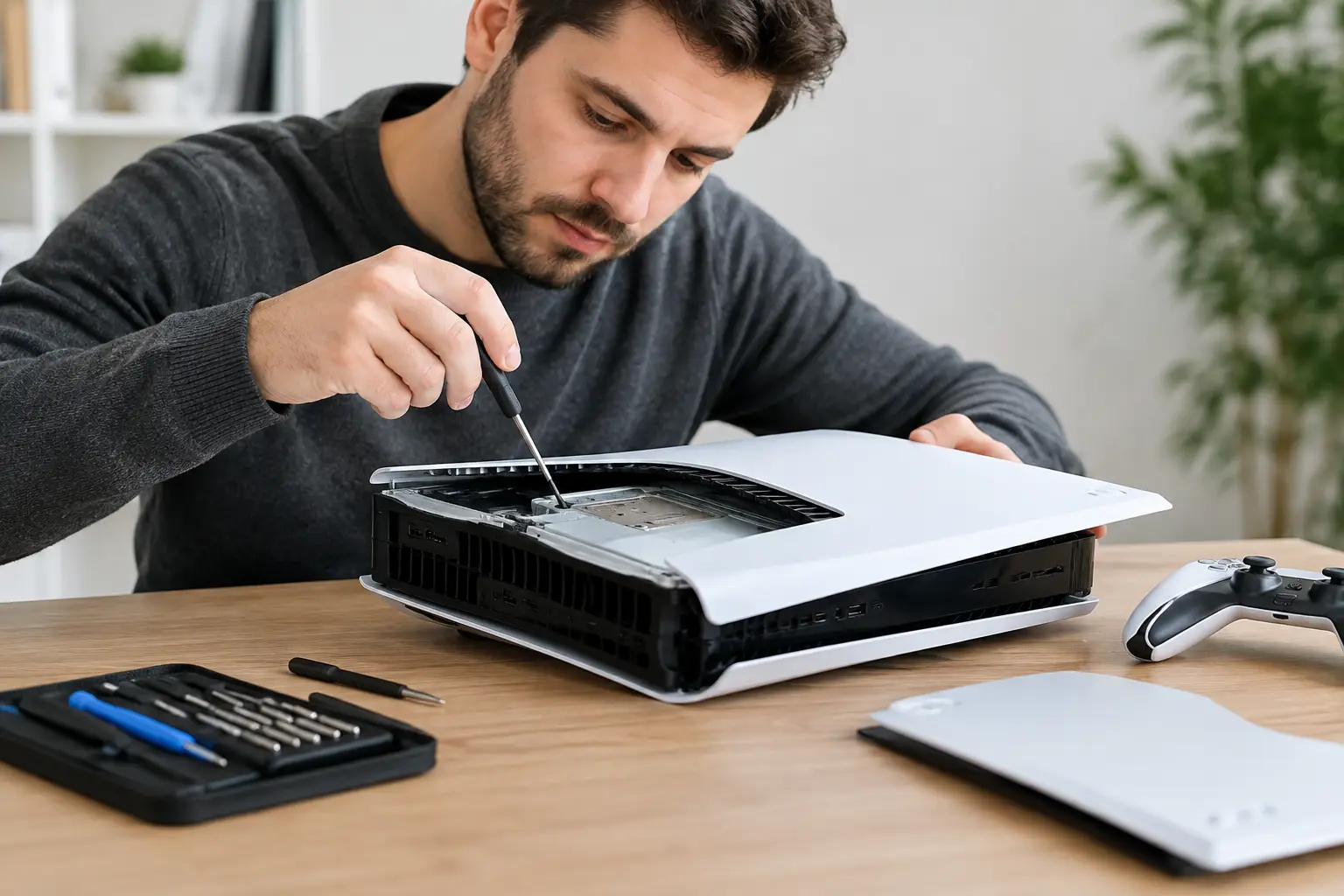
Avoid opening the console unless you have the right tools, experience, and a clear reason for doing it. Modern consoles have delicate ribbon cables, tiny screws, thermal components, and tightly packed internal parts. An attempted repair can accidentally tear a cable, strip screws, damage a connector, or create a new problem that was not there before.
Be especially careful with liquid exposure. If a drink, pet accident, or water spill reaches the console, turn it off, disconnect power, and do not keep trying to restart it. Electricity and moisture can create corrosion and short circuits. Getting it evaluated promptly gives the device its best chance of recovery.
Protect Your Game Data Before Service
If your console powers on, back up your saved games before bringing it in whenever possible. Cloud backup may be available through your console subscription, while some systems also support external storage or direct transfer options. Check that the backup has completed rather than assuming it happens automatically.
You should also know the login information for the account connected to the console. A technician may need you to unlock the system or test it after repair. Do not share passwords unless absolutely necessary. If testing requires access, ask what the shop needs and whether you can enter your credentials yourself.
For consoles that will not power on or display an image, saved data may still be intact, but there is no guarantee until the unit is diagnosed. This is another reason not to rush into replacing the console or attempting a reset. A factory reset can erase local data and may not solve a hardware issue.
What a Good Repair Visit Should Feel Like
You should not have to become a console expert just to get a clear answer. Bring in the console, its power cable, and any accessory directly related to the issue. If the problem involves video, bring the HDMI cable if you suspect it may be damaged. If a particular game will not read, bring that game too.
Describe what happened in plain language. Mention whether the console was dropped, overheated, exposed to liquid, stopped working after a power outage, or began failing after a software update. Let the technician know exactly what you see or hear: a flashing light, an error message, no signal on the TV, a clicking sound, or a shutdown after a few minutes. These details help narrow down the diagnosis faster.
A quality repair experience should include a straightforward explanation of the issue, a quote before work begins, and a realistic turnaround expectation. Some repairs can be completed quickly when parts are available, while more involved internal repairs may take longer. Speed matters, but careful work matters more when your console is being opened and restored.
Keep Your Console Running After the Fix
Once your console is working again, give it room to breathe. Keep it on a hard, flat surface with open space around its vents. Avoid closed entertainment cabinets that trap heat, and do not stack other electronics directly on top of it. A little airflow can prevent a lot of frustration.
Use a surge protector for extra protection from power fluctuations, but remember that a surge protector cannot fix an existing power issue. Handle HDMI and charging cables gently, especially when moving the console. If a cable does not fit easily, stop and inspect it rather than forcing it.
Most importantly, pay attention when your system starts acting differently. A console that is louder than usual, hotter than usual, or slower to start is giving you a chance to address the problem before game night gets canceled. A quick diagnosis and the right repair can put a favorite system back where it belongs: powered on, connected, and ready for the next match.