
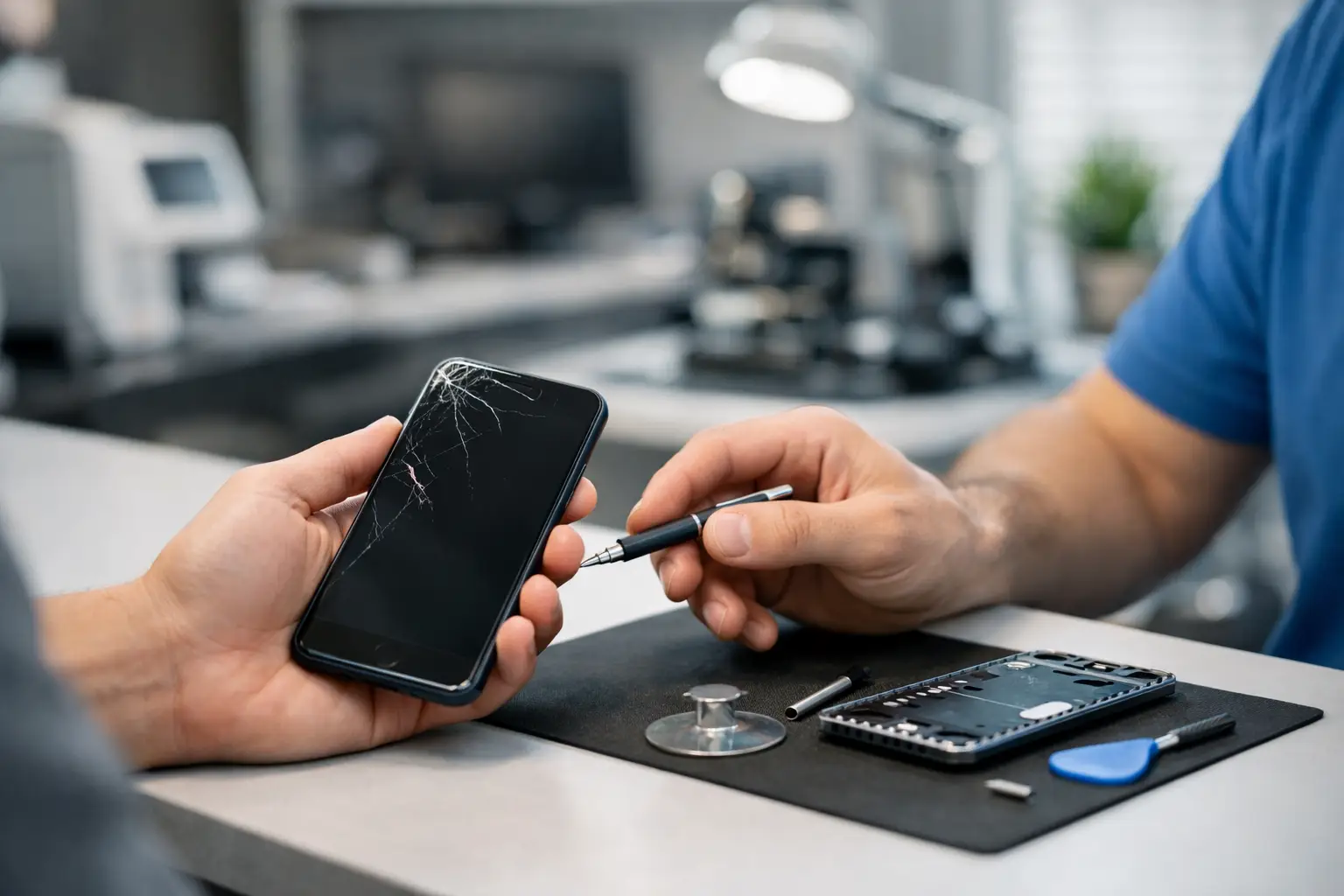
Your phone starts acting up at the worst possible time. The screen flickers before work, the battery drops from 40% to zero during school pickup, or a charging cable suddenly will not connect. When you search for a free phone diagnostic near me, you need more than a quick guess. You need to know what is wrong, what it will take to fix it, and whether repairing it is worth your money.
A proper diagnostic gives you a clear starting point before you commit to a repair. For St. Charles and greater St. Louis device owners, that can mean the difference between a straightforward same-day repair and spending hundreds on a replacement phone you did not need.
What a Free Phone Diagnostic Should Include
A free diagnostic should be a real evaluation of the problem, not a vague statement that your phone is “probably broken.” A technician should listen to what happened, inspect the device, test the affected functions, and narrow down the likely cause. Depending on the issue, that may include checking the display, charging port, battery behavior, cameras, speakers, microphones, buttons, signal connection, and software response.
For example, a phone that will not charge may have lint packed into the charging port, a worn-out cable, a failing battery, or internal charging damage. Those are very different fixes with very different costs. The same goes for a black screen. The display may be damaged even though the phone is still running, or the device may have a deeper power issue. Testing helps separate the simple repair from the more involved one.
Free diagnostics are especially useful when you do not know the repair name. You do not have to walk in knowing whether you need a battery replacement, screen repair, or charging port service. Describe the symptoms and let an experienced technician do the troubleshooting.
A diagnosis is not the same as a repair quote
The diagnostic identifies the likely issue. The quote tells you the price and repair options. A good shop explains both in plain language: what is failing, what part or service is recommended, how long the work should take, and whether there are any factors that could affect the final result.
Free diagnosis does not mean every repair is free, and it should not come with pressure to move forward. You should be able to make an informed choice after hearing the options. If a repair does not make financial sense for your device, a trustworthy technician should say so.
When to Search for a Free Phone Diagnostic Near Me
Some problems are obvious. A shattered screen usually needs a screen replacement. Others are less clear, and those are the moments when a professional check is most valuable.
Bring your phone in if it is restarting randomly, overheating, draining battery unusually fast, losing service, refusing to charge, showing liquid damage warnings, producing muffled sound, or running much slower than usual. A diagnostic can also help after a drop, even when the phone appears fine at first. Internal damage can show up later as camera failure, touch problems, weak Wi-Fi, or battery issues.
Software symptoms deserve attention, too. Frozen apps, update failures, storage warnings, and boot loops can sometimes be resolved without replacing a part. But software trouble can also look like hardware trouble, which is why testing matters. Replacing a battery will not fix a phone that is stuck because of a corrupted update, and resetting a phone will not fix a damaged charging port.
Water exposure is one situation where speed matters. Turn the device off if possible, do not keep trying to charge it, and avoid home remedies like rice. Moisture can continue affecting components after the initial spill. Getting it evaluated promptly gives you the best chance of limiting further damage.
What Happens During the Evaluation
The process should be simple. You explain what the phone is doing and when the issue started. Mention any drops, spills, recent updates, previous repairs, or new accessories. Those details help a technician test the right areas first.
Next, the device is inspected and tested. For a charging issue, that may involve checking the port, cable connection, battery health, and charging response. For screen trouble, the technician may test touch response, display output, brightness, and signs that the phone is still powered on underneath a damaged screen.
After testing, you should receive a clear recommendation. Many common repairs can be completed the same day, often in 30 to 60 minutes, depending on the device, part availability, and the type of damage. More complicated issues may take longer, particularly when liquid damage, board-level problems, or extensive component failures are involved.
At Mr. Mobile, the goal is to give you a straightforward answer before work begins. You will know whether the issue is repairable, what the repair involves, and what your practical next step looks like.
Repair or Replace? Let the Numbers Guide You
Not every phone should be repaired, but many are worth saving. The best decision depends on the phone’s age, condition, model, repair cost, and how you use it every day.
A newer iPhone or Samsung Galaxy with a broken screen or tired battery is often a strong repair candidate. Those repairs can restore a phone that otherwise works well for much less than the cost of buying a comparable replacement. If you are happy with the camera, storage, performance, and carrier compatibility, repair is usually the less disruptive choice.
Replacement may make more sense when multiple expensive components have failed, the phone has serious liquid damage, or it is already too old to run the apps and updates you need. In that case, a certified pre-owned unlocked phone can be a practical middle ground between a repair and the price of a brand-new device.
A diagnostic makes that decision easier because it replaces guesswork with real information. You can compare the repair price with the value you will get from keeping the device. You can also ask whether the problem is likely to return or whether another worn component may need attention soon.
Before You Bring Your Phone In
If your phone still works well enough, back it up before any repair. Save photos, messages, and important files to your preferred cloud service or computer. Repairs are handled carefully, but backups protect you from the unexpected and are a good habit for any device owner.
Bring the phone, and bring its charger or cable if charging is the problem. If you have a passcode, be prepared to provide access when testing requires it. You do not need to share passwords for personal accounts. A technician may only need enough access to test functions such as the camera, speakers, touchscreen, or cellular connection.
If the phone has been exposed to water, do not charge it on the way to the store. If the battery is swelling, the screen is lifting away from the frame, or the device is extremely hot, stop using it and seek help promptly. A swollen battery needs professional attention, not a quick fix at home.
How to Choose a Phone Repair Shop
Convenience matters, but the lowest advertised price is not the only factor. Look for a shop that offers a clear diagnostic process, explains repair options without confusing jargon, and uses quality replacement parts. Ask about turnaround time, warranty coverage, and whether the quoted price includes parts and labor.
It also helps to choose a shop that repairs more than one type of device. A team that regularly works on iPhones, Android phones, tablets, computers, watches, and game consoles sees a broad range of symptoms and failure patterns. That experience is valuable when the cause is not immediately obvious.
Most of all, pay attention to whether the technician is focused on solving your problem rather than selling you the most expensive option. Sometimes the best answer is a quick repair. Sometimes it is a replacement device. Sometimes it is simply cleaning a port or changing a setting. The right answer is the one that gets your day moving again without wasting your money.
A phone problem does not have to turn into a replacement-phone emergency. Start with a free diagnostic, get a clear explanation, and make your next move with confidence.