
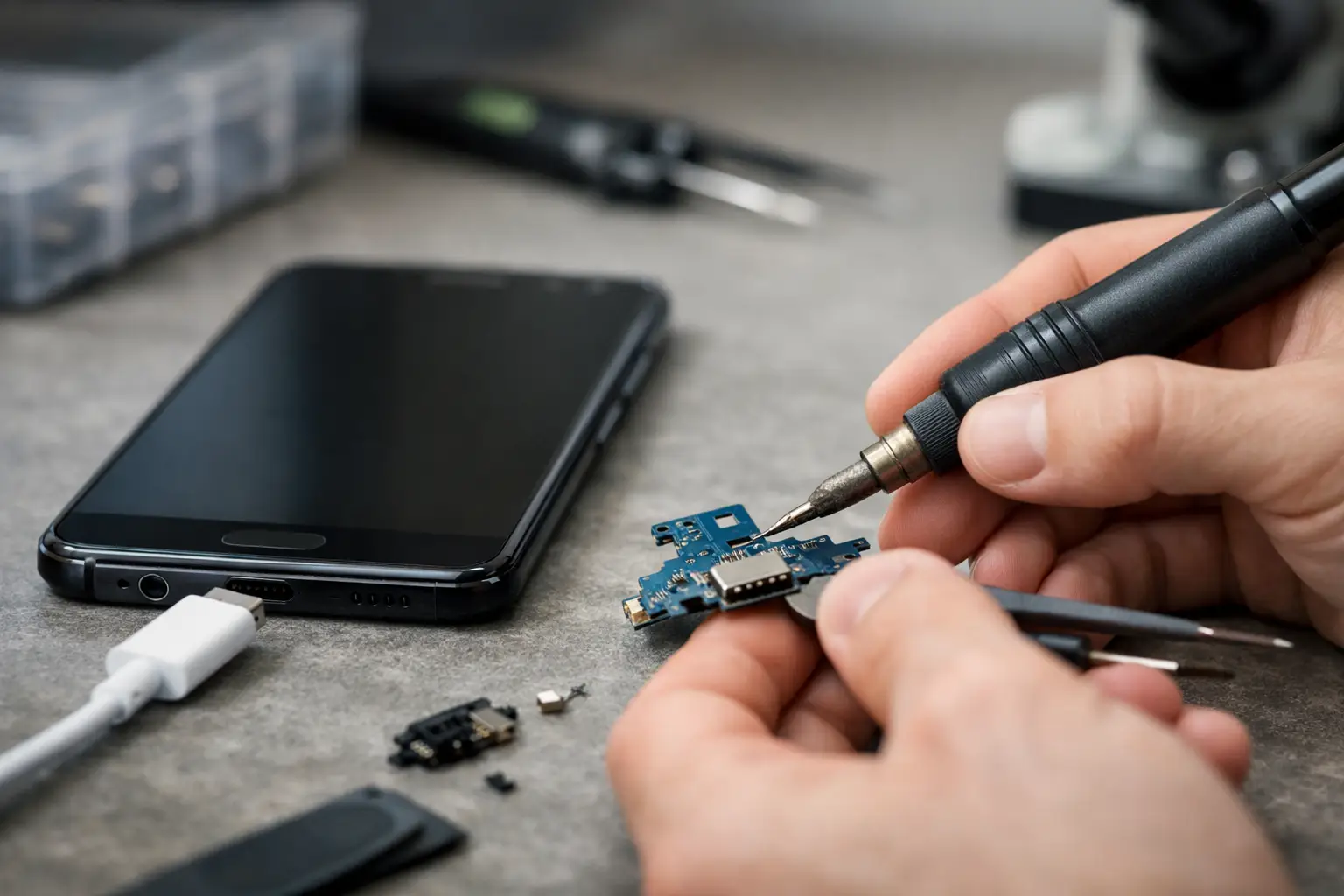
A phone that only charges at a certain angle is more than an annoyance. It can leave you watching the battery percentage all day, missing calls, or wondering whether you need an expensive new device. Android charging port repair may be the answer, but not every charging problem starts inside the port. A quick, accurate diagnosis can save you from replacing parts you do not need.
For people who rely on a Samsung Galaxy, Google Pixel, Motorola, or another Android phone for work, school, family, and everything in between, the goal is simple: get dependable charging back quickly. Here is how to tell what is happening, what you can safely check at home, and when it is time to bring the phone to a repair technician.
The Signs Your Charging Port May Be Failing
A worn or damaged charging port usually creates a pattern. Your cable may feel loose, fall out easily, or require pressure in one direction before charging starts. The phone might connect and disconnect repeatedly, charge far more slowly than normal, or show no charging response with cables that work on other devices.
Some problems are obvious after a drop, liquid exposure, or a cable being yanked sideways. Others develop gradually. Repeated daily plugging and unplugging can wear internal contact points, especially if the phone is used while connected to power.
Do not ignore a hot connector, a burning smell, visible discoloration, or a port that looks bent or broken. Stop charging the device if you notice any of those signs. Continuing to force a cable into a damaged port can harm the charging assembly, battery, or internal board.
Rule Out the Easy Fix First
Before scheduling Android charging port repair, test the full charging setup. A failed cable or wall adapter can look exactly like a phone problem. Try a known-good cable and adapter that are compatible with your phone, then test the original cable on another device if possible.
Check the outlet, too. A loose outlet, worn power strip, or weak car charger can create inconsistent charging. If your phone supports wireless charging, place it on a reliable wireless charger. If it charges wirelessly but not through the cable, the port becomes a more likely suspect. That is still not a final diagnosis, but it is useful information.
Restart the phone and look for a moisture or debris warning. Some Android models pause wired charging when they detect moisture in the USB-C port. Let the phone dry in a well-ventilated room, port facing down, before trying again. Avoid heat guns, hair dryers, rice, and compressed air. Those shortcuts can push moisture or debris farther inside.
Pocket Lint Is a Common Cause
A USB-C cable should sit firmly in the port. When it suddenly feels shallow or loose, packed lint is often the reason. It builds up at the bottom of the port and prevents the connector from fully seating, even when the opening looks clean at first glance.
Power the phone off before inspecting it under a bright light. If you can clearly see loose debris near the opening, a technician can clean it safely and check whether the contact pins are still intact. Avoid metal pins, paper clips, needles, and anything that can scrape or bend the delicate contacts. A small cleaning attempt can turn a simple service into a parts repair.
What a Technician Checks During Android Charging Port Repair
A reliable repair begins with diagnosis, not assumptions. The port may be the issue, but slow or inconsistent charging can also come from the battery, charging cable, power-management circuitry, moisture damage, or software behavior.
A technician tests the phone with known-good charging equipment and examines how the connector fits. They inspect the port for lint, corrosion, loose contacts, and physical damage. They may also check charging current and battery performance to see whether the device is receiving power normally.
If cleaning restores a solid cable connection and normal charging, no replacement part may be needed. If the port itself is worn, corroded, or broken, the charging assembly can often be replaced. On many Android models, that component is separate from the main board, which can make repair more practical than replacing the phone.
The exact repair depends on the model and the damage. Some phones use a replaceable charging sub-board, while others require more involved board-level work. That is why a quote should follow an inspection instead of being based only on the words “not charging.”
Repair or Replacement: What Makes the Most Sense?
A charging port repair is often a smart choice when the phone otherwise works well, the screen is intact, the battery still holds a reasonable charge, and the device continues to receive the features you need. Repairing a port can cost far less than purchasing a comparable replacement phone, especially when the issue is limited to one component.
There are times when replacement deserves consideration. If an older phone has a failing battery, severe frame damage, cracked screen, water damage, and port trouble at the same time, the combined repair cost may not be the best value. The same applies if you need more storage, a better camera, or software support that the current phone cannot provide.
The right choice is not always the cheapest immediate option. It is the option that gets you a dependable device without paying for repairs that do not match the phone’s remaining value. A clear diagnostic result gives you the information to decide confidently.
Avoid These Charging Port Mistakes
When charging gets unreliable, frustration can lead to risky fixes. Protect your phone by avoiding these common mistakes:
- Do not jam the cable in harder or twist it to make a connection. Pressure can break internal contacts or loosen the port from the board.
- Do not use metal tools to dig inside the port. USB-C contacts are small and easily damaged.
- Do not continue charging through heat, sparks, a burning smell, or obvious moisture. Disconnect power and have the device checked.
- Do not buy the cheapest replacement cable available. Poorly made cables can fit badly, charge inconsistently, and wear the port faster.
A quality cable matters after the repair, too. Use a cable that fits properly without force, unplug by gripping the connector instead of the cord, and keep the phone from hanging off the edge of a desk while plugged in.
Fast Help When Your Phone Will Not Charge
A non-charging phone can feel like an emergency, especially when it holds your schedule, photos, contacts, schoolwork, and two-factor login codes. Back up the phone when you still have enough battery to do so. If it only charges intermittently, avoid waiting until it reaches zero before getting help.
At Mr. Mobile, technicians can evaluate the issue, explain whether cleaning or part replacement is needed, and help you decide whether repair is worth it for your specific Android model. Many common repairs can be completed the same day, often without the long wait or replacement cost associated with carrier and manufacturer options.
Bring the phone in with the cable and adapter you normally use if you can. That gives the technician one more way to identify an intermittent problem and helps ensure the solution addresses how you actually charge your device.
A charging issue does not automatically mean your Android phone is finished. Get the problem checked while the device still has power, and you may be back to reliable charging with a repair that makes sense for your budget and your day.